
Download SPB Wallet – secure file encryption for Mac, iPhone, iPad
What Is SPB Wallet and Why It Matters
SPB Wallet is a lightweight yet powerful file‑encryption utility created by the seasoned developers at SPB Software. Designed first for Windows and later expanded to iOS devices, the newest version finally arrives on macOS, offering a single, secure vault for passwords, credit‑card data, confidential documents, and any other sensitive information you need to keep out of prying eyes. The app combines strong AES‑256 encryption with a user‑friendly interface that feels more like a digital safe than a sterile security tool. By letting you synchronize the same encrypted wallet across Mac, iPhone, and iPod Touch, SPB Wallet eliminates the need for separate passwords or insecure cloud notes, giving you one protected repository you can access anytime, anywhere.
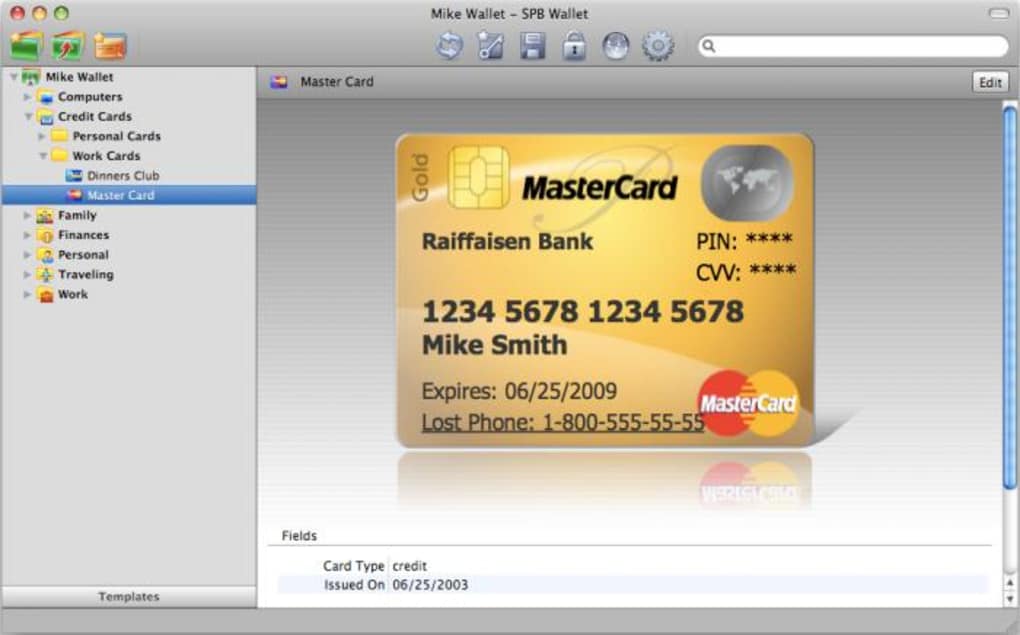
The moment you launch SPB Wallet you’re greeted with a clear choice: create a brand‑new wallet or open an existing one. The wizard walks you through specifying the wallet’s storage location—by default Documents/SPB Wallet—and then forces you to set a strong password using a dedicated on‑screen keypad that defeats key‑logging software. A password hint can be added for personal safety, though the hint itself is stored in an unsecured file, so you should keep it vague. Once the vault is unlocked, the app presents your data as stylized “cards” that mimic real credit‑card designs, making it both functional and visually appealing.
Beyond its core encryption capabilities, SPB Wallet shines in its cross‑device sync feature. After configuring the Synchronization tab in Preferences, your encrypted file automatically appears on any registered iOS device, and changes are propagated in near‑real time. This seamless bridge between desktop and mobile platforms makes it an ideal companion for freelancers, business travelers, and anyone who needs instant, secure access to confidential data without compromising on convenience.
Key Features and How They Benefit You
- Military‑grade AES‑256 encryption – protects every piece of data stored in the wallet from brute‑force attacks.
- On‑screen secure keypad – eliminates the risk of key‑loggers capturing your password.
- Cross‑platform synchronization – keep the same encrypted wallet on macOS, iPhone, and iPod Touch.
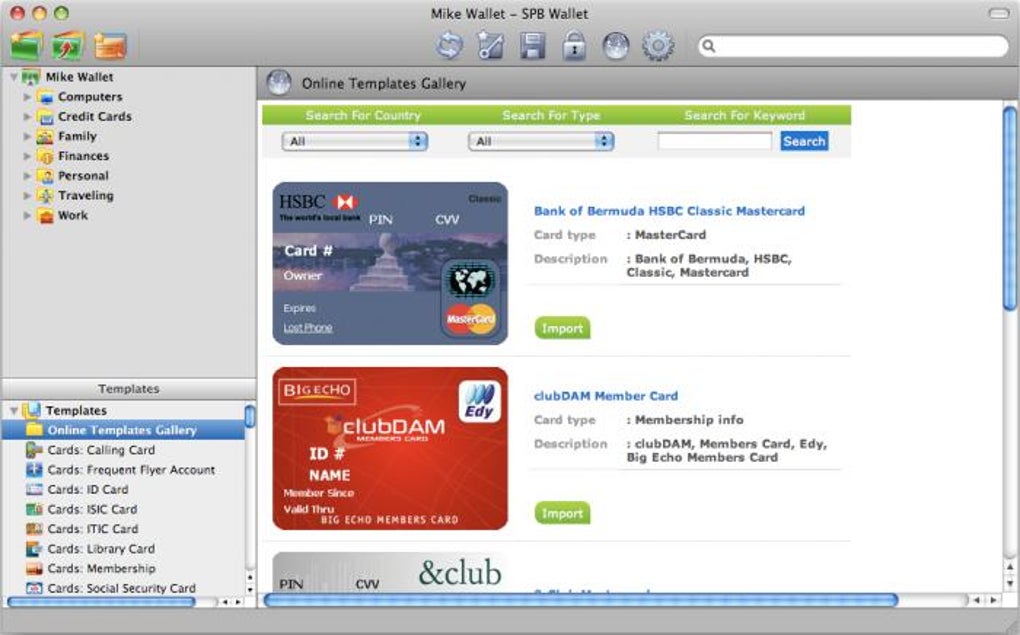
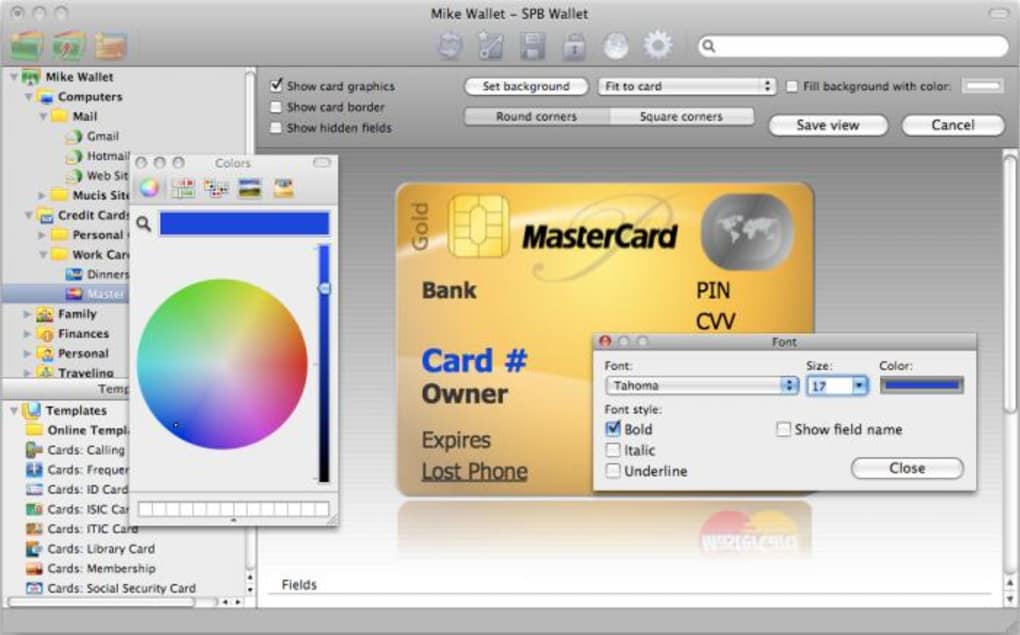
- Customizable card templates – display passwords, credit‑card numbers, and notes as realistic cards for quick visual identification.
- Easy wallet creation wizard – step‑by‑step guidance for new users, including password hint setup.
- Secure export & import – move wallets between devices or back them up to external storage without exposing raw data.
- Lightweight footprint – runs smoothly on older Macs and low‑end iOS devices, consuming minimal RAM.
These features translate into tangible benefits for everyday users. The AES‑256 encryption ensures that even if a malicious actor obtains the raw wallet file, they cannot decipher its contents without the password. The on‑screen keypad is a subtle but critical safeguard; many users are unaware that standard keyboards can be compromised by sophisticated spyware. By storing passwords and credit‑card numbers in card‑style visual blocks, SPB Wallet reduces the time spent searching for the right entry, boosting productivity during travel or client meetings.
Synchronization is perhaps the most compelling advantage. Imagine you’re on a business trip with only your iPhone; you can still retrieve the encrypted notes you created on your home Mac, or add a new password on the go and have it instantly available when you return to the office. The export/import functionality also gives IT administrators an easy way to deploy a pre‑configured wallet across a fleet of devices, ensuring consistent security policies without manual entry errors.
Finally, the lightweight design means the app won’t slow down your MacBook Air or older iPad. It launches in seconds, and the UI remains responsive even when the wallet contains hundreds of entries. This balance of security, usability, and performance makes SPB Wallet a standout tool in the crowded field of personal encryption software.
Installation, Setup, and Daily Use
Step‑by‑Step Installation
Downloading and installing SPB Wallet on macOS is straightforward. Visit the official SPB Software website, click the “Download for Mac” button, and run the signed .dmg file. Drag the SPB Wallet icon into your Applications folder, then launch the app. macOS may ask for permission to access the Documents folder; grant this so the default wallet location (Documents/SPB Wallet) can be created automatically.
Creating or Opening a Wallet
On first launch, the wizard prompts you to either Create a New Wallet or Open an Existing Wallet. Choosing “Create” launches a secure password entry screen with a virtual keypad. Pick a strong, unique password—ideally a mix of upper‑case, lower‑case, numbers, and symbols. Next, you may add a hint (keep it vague). The wizard then asks where to store the wallet file; accept the default or choose a custom path on an encrypted external drive for added security.
Synchronizing with iOS Devices
Open Preferences (⌘+,) and navigate to the Synchronization tab. Enable “Sync with iPhone/iPod Touch” and sign in with your Apple ID to allow iCloud to store the encrypted file. The app automatically creates a matching wallet on your iOS devices; you’ll see a prompt to download the sync file the first time you open SPB Wallet on your iPhone.
Daily Workflow
Each time you open the app, you must unlock the “giant safe” by entering your password on the virtual keypad. Once inside, you’ll see your entries displayed as stylized cards. Tap a card to reveal hidden details, copy a password to the clipboard, or edit the entry. Adding a new item is as simple as clicking the “+” button, selecting a card template, and filling in the fields. All changes are saved instantly and, if sync is enabled, propagated to your other devices within seconds.
Because the wallet is a single encrypted file, you can also back it up manually to an external SSD or secure cloud storage. To do this, close SPB Wallet, locate the .spbwallet file in the Documents folder, and copy it to your backup location. Restoring is just a matter of copying the file back and opening it with SPB Wallet, entering your password, and you’re back in business.
Compatibility, Pros & Cons, and User Feedback
Supported Platforms: macOS 10.12 and later, iOS 12 and later (iPhone, iPad, iPod Touch). The Windows version remains available, but this review focuses on the macOS and iOS experience.
Pros
- Robust AES‑256 encryption with a dedicated secure keypad.
- Seamless cross‑device synchronization via iCloud.
- Intuitive card‑based UI that makes data retrieval fast.
- Lightweight installer and low system resource usage.
- Free trial available; full version is a one‑time purchase.
Cons
- Limited number of built‑in card templates; no custom template editor.
- Password hint is stored in an unsecured file—requires careful wording.
- No built‑in password generator; you must create strong passwords elsewhere.
- Sync relies on iCloud; users preferring Dropbox or Google Drive need work‑arounds.
Overall, SPB Wallet delivers a solid blend of security and usability. The encryption engine is top‑notch, and the synchronization feature fills a gap left by many desktop‑only vaults. While the template selection could be expanded and the password hint storage refined, the app’s core functionality justifies the modest price tag.
Frequently Asked Questions
-
Is SPB Wallet free or does it require a purchase?
SPB Wallet offers a free trial with limited entries. To unlock unlimited storage and full synchronization, you purchase a one‑time license (currently $19.99) which includes free updates for the current major version.
-
Can I use SPB Wallet without iCloud sync?
Yes. The app works perfectly as a standalone encrypted vault on a single Mac. Synchronization is optional; you can manually copy the wallet file between devices using AirDrop, USB, or any secure cloud service of your choice.
-
How strong is the encryption used by SPB Wallet?
SPB Wallet employs AES‑256 encryption, which is considered military‑grade and is the same standard used by major banking institutions and government agencies.
-
What happens if I forget my password?
Unfortunately, the password is the sole key to decrypt the wallet. If you forget it, the data cannot be recovered. The password hint can help, but it is stored insecurely, so it’s best to keep a separate, secure record of your master password.
-
Does SPB Wallet support biometric authentication on iOS?
Yes. On iPhone and iPad, you can enable Touch ID or Face ID in the app’s Settings, allowing you to unlock the vault with a biometric scan instead of typing the password each time.
Conclusion – Secure Your Digital Life Today
SPB Wallet strikes a rare balance between iron‑clad security and everyday convenience. Its AES‑256 encryption, on‑screen secure keypad, and seamless iCloud sync make it a compelling choice for anyone who stores passwords, credit‑card numbers, or confidential documents on a Mac or iOS device. While the limited card templates and unsecured hint file are minor drawbacks, they do not outweigh the core strengths of the application. If you’re looking for a trustworthy, single‑vault solution that lets you access encrypted data anywhere, download SPB Wallet now and experience peace of mind without sacrificing usability.







